
Document search, in Central Plus and Central Max
Find any email or document, by name or by what is inside
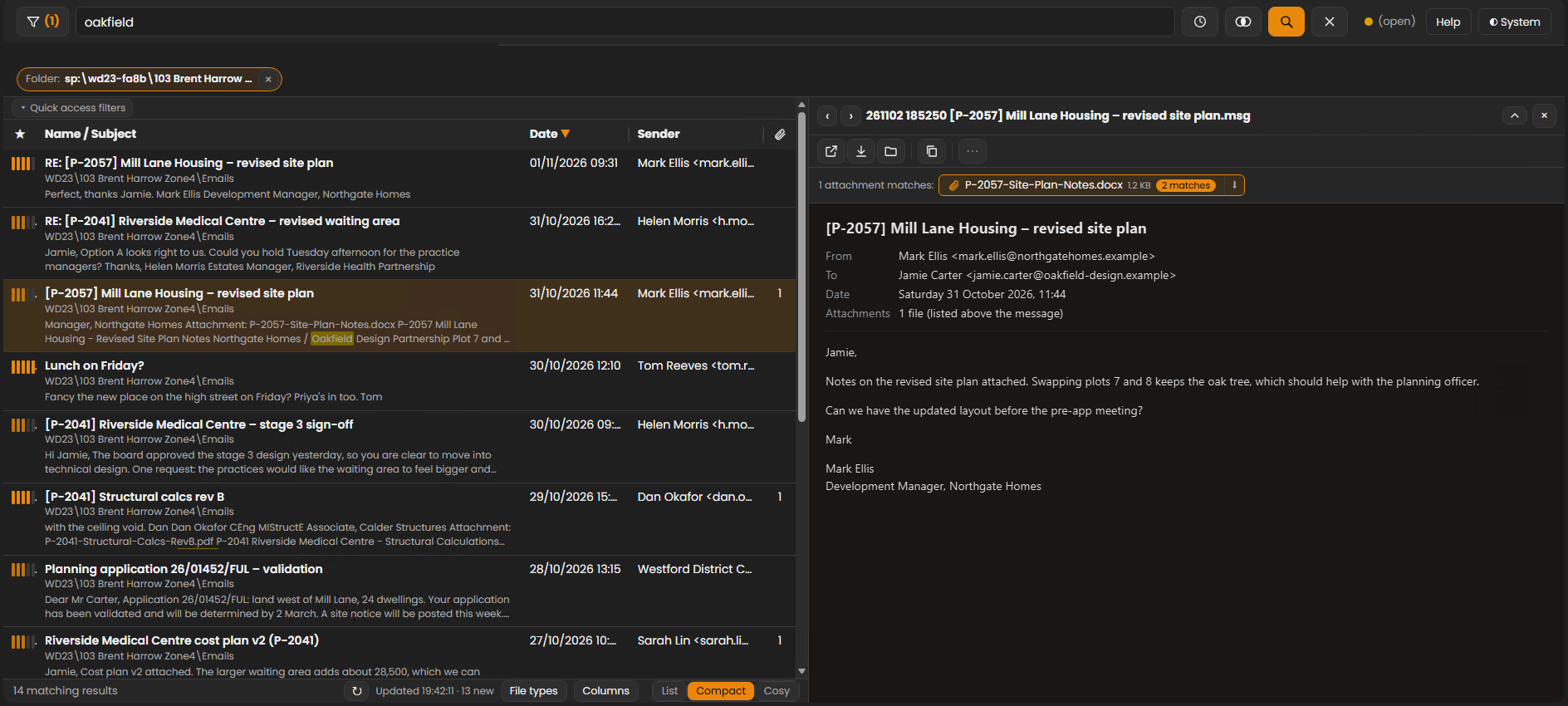
Search filed email, attachments and documents on your shares from Outlook or the browser, with previews and your words highlighted. Scans and clear handwriting included, and with Central Max, photos and AI.
Search runs on your own server. Each person only finds what they are allowed to open.
Search
Search what you have filed
From the FileChimp pane in Outlook, or the dashboard in your browser.
Inside emails and attachments
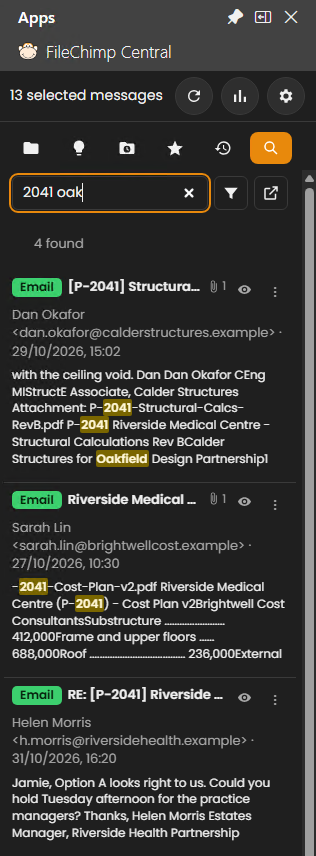
Find filed emails by what they say and by what is inside their attachments, with filters for sender, subject, file type, dates and folder.
Scans and handwriting
Scanned letters, PDFs and clear handwriting are read with text recognition, so they are found too.
Preview, reply, forward
See emails and documents beside the results with your words highlighted, and reply or forward from a result (with the Outlook Helper on the PC).
Central Max
Search everything on your shares
Every file type
Not just filed email: Word, Excel, PDFs and more, across your file shares, and SharePoint and OneDrive libraries following SharePoint’s own permissions.
Photos by what is in them and where
Search for scaffolding, water damage or a receipt, or for a town, county, country or postcode from the photo’s GPS position. Worked out on your server, never sent anywhere.
Ask your documents
Ask questions in plain English and get answers from your documents, or connect AI assistants such as Claude to your search. They find only what each person may open.
Safe to use
Search that respects your permissions
Only what each person may open
Search follows your Windows and SharePoint permissions, so nobody finds files they couldn’t open anyway.
Virus protection
Files Microsoft Defender detects are blocked from opening in search.
On your own server
The search index, previews and photo recognition all stay on your server, and are never sent to us.
Questions
Which plans include search?
Central Plus and Central Max search filed email, attachments, scans and clear handwriting. Central Max also searches every file type on your shares, finds photos by what is in them and where, and adds AI. Compare the plans.
Does search show people files they shouldn’t see?
No. Search only shows what each person is allowed to open.
Can it find photos by what is in them?
Yes, on Central Max. Search for scaffolding, water damage or a receipt and photos that show one come up, even when the file is just called IMG_4021. It is automatic recognition, so it finds most photos, not every one. Recognition runs on your own server and never identifies who a person is.
Can I search from Outlook?
Yes, from the Search tab in the FileChimp pane, or from the dashboard in your browser, with previews and your search words highlighted.
Is our data sent anywhere to be searched?
No. Indexing, text recognition and photo recognition run on your own server. AI answers use the assistant your administrator connects.
Find it in seconds
Try FileChimp Central free for 2 weeks and search your own folders.
